Office
How to change default application (file association) in Windows 10
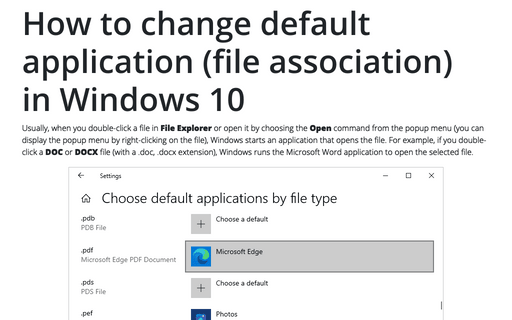
Usually, when you double-click a file in File Explorer or open it by choosing the Open command from the popup menu (you can display the popup menu by right-clicking on the file), Windows starts an application that opens the file. For example, if you double-click a DOC or DOCX file (with a .doc, .docx extension), Windows runs the Microsoft Word application to open the selected file.
Flowcharts in Microsoft Office applications
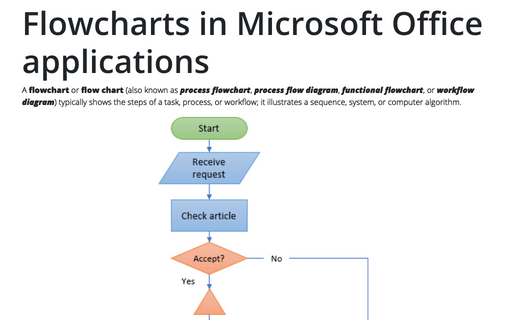
A flowchart or flow chart (also known as process flowchart, process flow diagram, functional flowchart, or workflow diagram) typically shows the steps of a task, process, or workflow; it illustrates a sequence, system, or computer algorithm.
Manage the Microsoft account
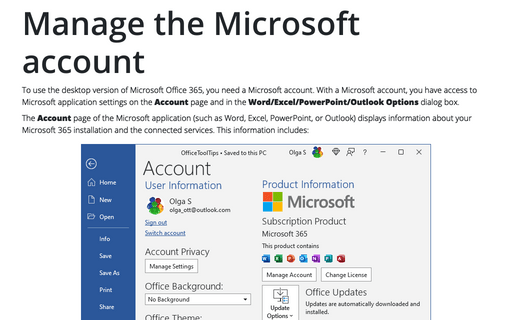
To use the desktop version of Microsoft Office 365, you need a Microsoft account. With a Microsoft account, you have access to Microsoft application settings on the Account page and in the Word/Excel/PowerPoint/Outlook Options dialog box.
Excel
How to change the default colors that Excel uses for chart series
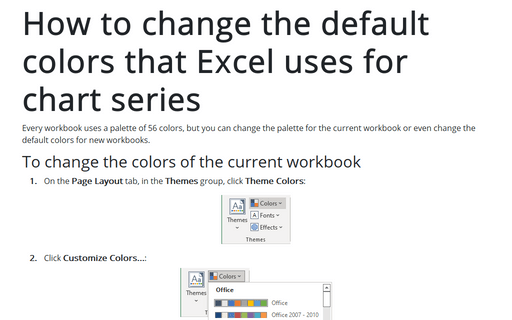
Every workbook uses a palette of 56 colors, but you can change the palette for the current workbook or even change the default colors for new workbooks.
How to change the default colors that Excel uses for chart series
Every workbook uses a palette of 56 colors, but you can change the palette for the current workbook or even
change the default colors for new workbooks.
How to fix the chart data
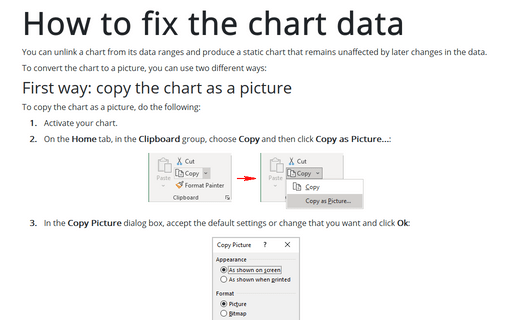
You can unlink a chart from its data ranges and produce a static chart that remains unaffected by later changes in the data.
Outlook
Auto preview attachments in Outlook
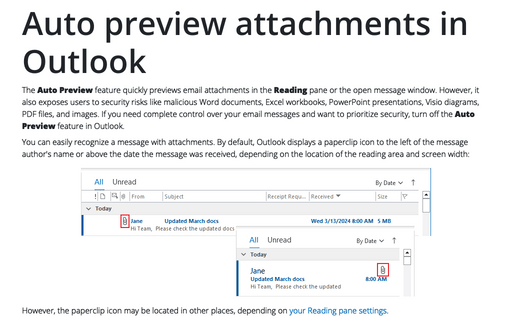
The Auto Preview feature quickly previews email attachments in the Reading pane or the open message window. However, it also exposes users to security risks like malicious Word documents, Excel workbooks, PowerPoint presentations, Visio diagrams, PDF files, and images. If you need complete control over your email messages and want to prioritize security, turn off the Auto Preview feature in Outlook.
Work with attachments
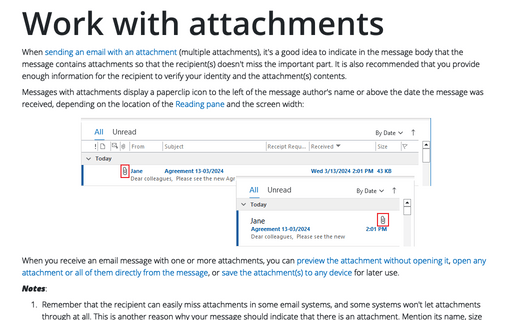
When sending an email with an attachment (multiple attachments), it's a good idea to indicate in the message body that the message contains attachments so that the recipient(s) doesn't miss the important part. It is also recommended that you provide enough information for the recipient to verify your identity and the attachment(s) contents.
Insert and resize pictures in Outlook for Web
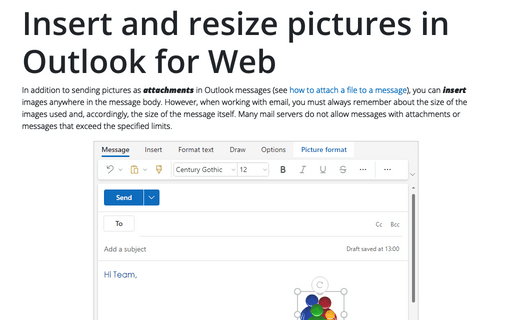
In addition to sending pictures as attachments in Outlook messages (see how to attach a file to a message), you can insert images anywhere in the message body. However, when working with email, you must always remember about the size of the images used and, accordingly, the size of the message itself. Many mail servers do not allow messages with attachments or messages that exceed the specified limits.
PowerPoint
How to crop a picture to fit a shape
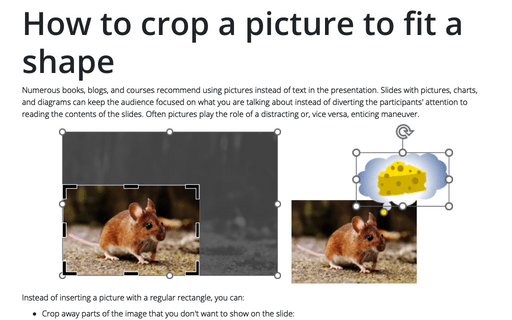
Numerous books, blogs, and courses recommend using pictures instead of text in the presentation. Slides with pictures, charts, and diagrams can keep the audience focused on what you are talking about instead of diverting the participants' attention to reading the contents of the slides. Often pictures play the role of a distracting or, vice versa, enticing maneuver.
How to lock objects from moving and resizing in PowerPoint
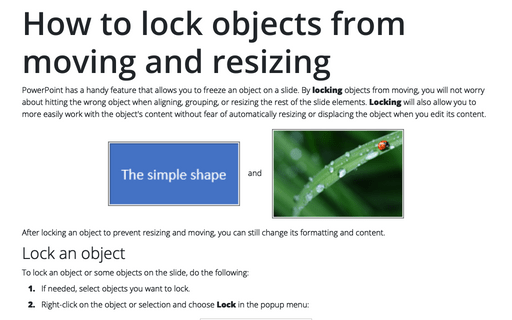
PowerPoint has a handy feature that allows you to freeze an object on a slide. By locking objects from moving, you will not worry about hitting the wrong object when aligning, grouping, or resizing the rest of the slide elements. Locking will also allow you to more easily work with the object's content without fear of automatically resizing or displacing the object when you edit its content.
Working with sections
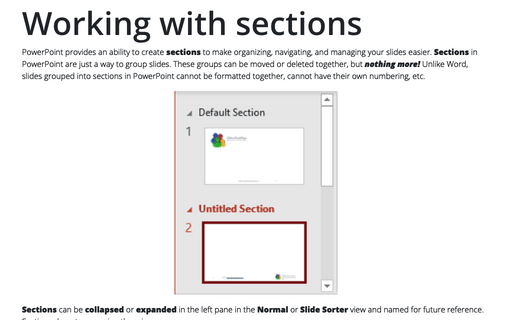
PowerPoint provides an ability to create sections to make organizing, navigating, and managing your slides easier. Sections in PowerPoint are just a way to group slides. These groups can be moved or deleted together, but nothing more! Unlike Word, slides grouped into sections in PowerPoint cannot be formatted together, cannot have their own numbering, etc.
Word
How to do anything with paragraph format with keyboard
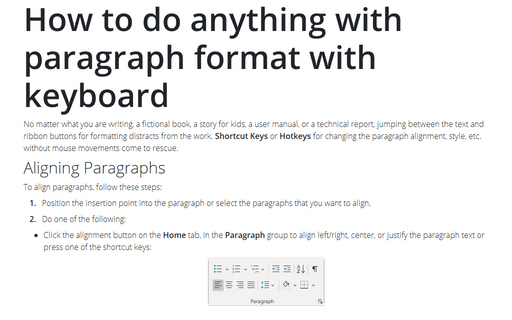
No matter what you are writing, a fictional book, a story for kids, a user manual, or
a technical report, jumping between the text and ribbon buttons for formatting distracts
from the work. Shortcut Keys or Hotkeys for changing the paragraph alignment,
style, etc. without mouse movements come to rescue.
How to do anything with paragraph format with keyboard
No matter what you are writing, a fictional book, a story for kids, a user manual, or
a technical report, jumping between the text and ribbon buttons for formatting distracts
from the work. Shortcut Keys or Hotkeys for changing the paragraph alignment,
style, etc. without mouse movements come to rescue.
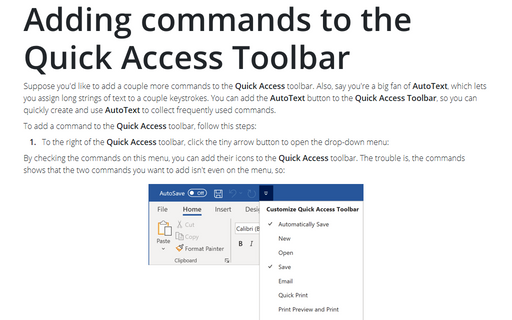
Adding commands to the Quick Access Toolbar
Suppose you'd like to add a couple more commands to the Quick Access toolbar. Also, say you're a big
fan of AutoText, which lets you assign long strings of text to a couple keystrokes. You can add the
AutoText button to the Quick Access Toolbar, so you can quickly create and use AutoText
to collect frequently used commands.