How to add the Developer tab in Excel
Excel
2007
You should display the Developer tab when you want to write macros, run macros that you previously
recorded, or create applications to use with Microsoft Office programs. Do the following:
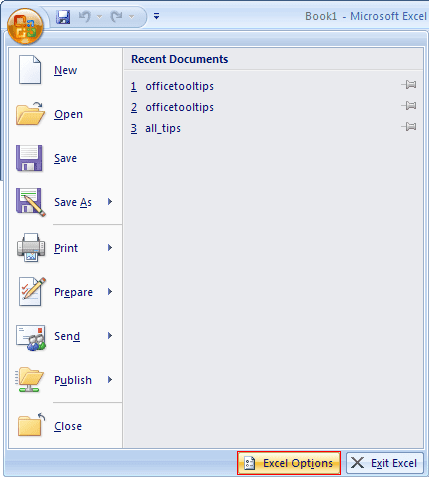
1. Click the Microsoft Office Button
 , and then click Excel Options:
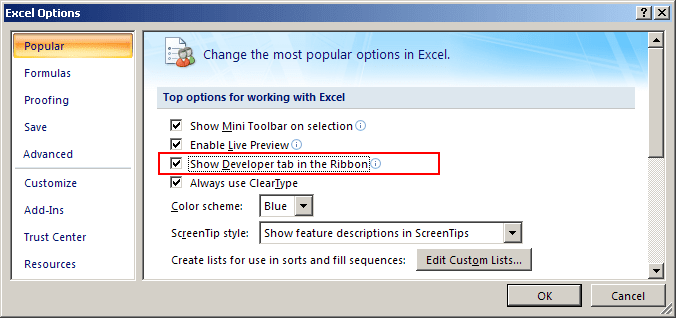
2. In the Excel Options dialog box, on the Popular tab, check the Show Developer tab in the Ribbon checkbox:
3. Click OK.
For more details, see Creating Your Own Menu.