How to import a Contact Group sent you as an attachment
Outlook
2016
Sharing Contact Groups can be a great timesaver when multiple people need to continuously e-mail the
same groups of individuals (for more details see
Sharing Contact Groups).
You can easily import a Contact Group that was e-mailed to you as an attachment.
Do the following:
1. Open the e-mail containing the Contact Group.
2. In Outlook, open the Contacts view.
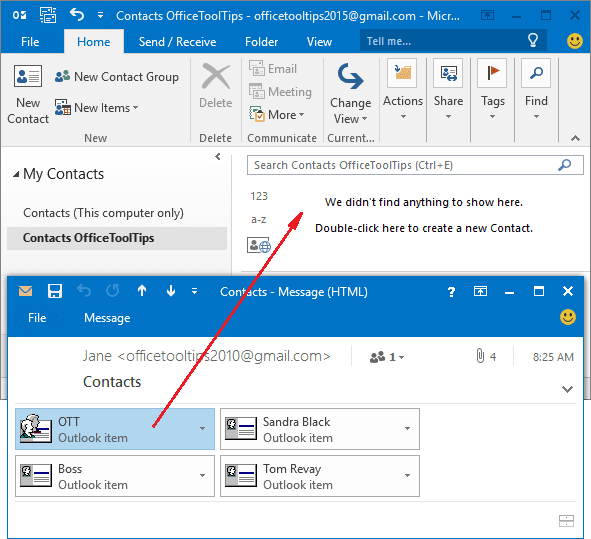
3. Drag the Contact Group attachment from the e-mail message onto the desired Contacts folder. Outlook automatically creates the contact entries for you:
See also this tip in French: Comment importer un groupe de contacts que vous avez reçu.