Office 2007
Creating AutoCorrect Exceptions
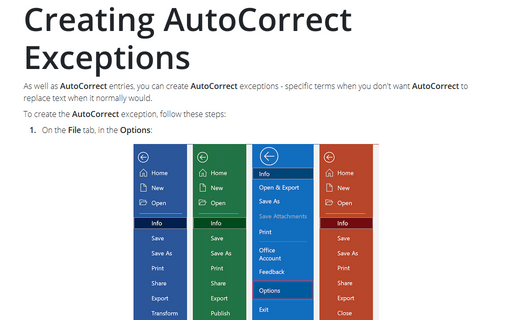
As well as AutoCorrect entries, you can create AutoCorrect exceptions - specific terms when
you don't want AutoCorrect to replace text when it normally would.
Advanced Research with Research Pane
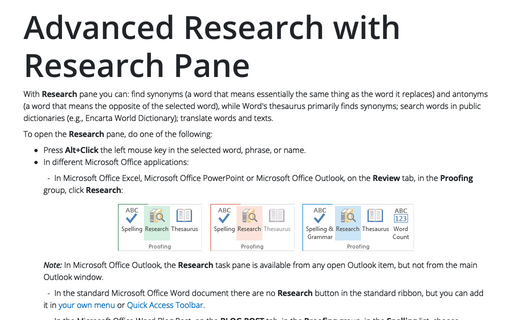
With Research pane you can: find synonyms (a word that means essentially the same thing as the word
it replaces) and antonyms (a word that means the opposite of the selected word), while Word's thesaurus
primarily finds synonyms; search words in public dictionaries (e.g., Encarta World Dictionary); translate
words and texts.
Setting AutoCorrect Options
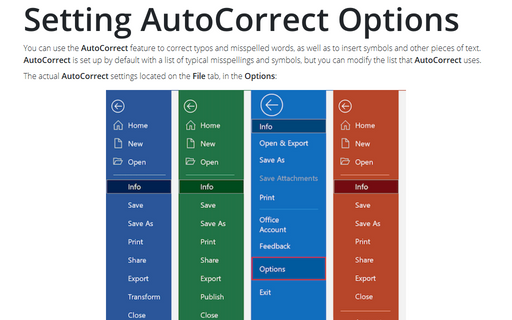
You can use the AutoCorrect feature to correct typos and misspelled words, as well as to insert
symbols and other pieces of text. AutoCorrect is set up by default with a list of typical
misspellings and symbols, but you can modify the list that AutoCorrect uses.
AutoCorrect options
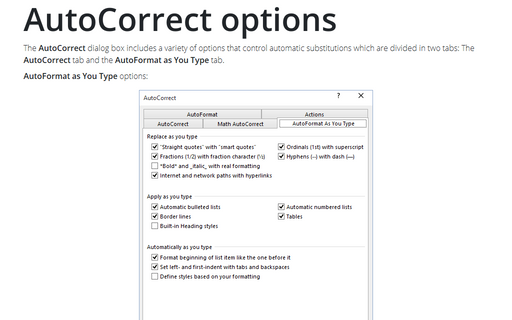
The AutoCorrect dialog box includes a variety of options that control automatic substitutions which
are divided in two tabs: The AutoCorrect tab and the AutoFormat as You Type tab.